

Job Costing Software for Tradesmen: Features to Know
If I can’t tie every pound to a job, I can’t trust the margin. That is the main point here.
This guide looks at six tools for UK tradesmen and small crews: Site Wallet, Tradify, simPRO, Xero Projects, QuickBooks Online, and Powered Now. I’d judge them on four things that matter most for job costing:
- job-based spend logging
- receipts and petty cash
- labour and time records
- cash flow and profit view
It also checks the UK bits that affect day-to-day admin, including VAT, CIS, Domestic Reverse Charge VAT, and Making Tax Digital. One point stands out fast: some tools are better for on-site spend and receipts, while others are better for accounts-led job reports.
If I wanted the short version, it would be this:
- Site Wallet suits firms that lose money through missing receipts, cash advances, and loose petty cash control.
- Tradify suits teams that need tighter actual vs quoted job tracking.
- simPRO fits bigger contractors with staged work, stock, and more setup.
- Xero Projects and QuickBooks Online suit firms that want job costing inside the accounts system.
- Powered Now suits teams that want simple site logging with UK tax support.
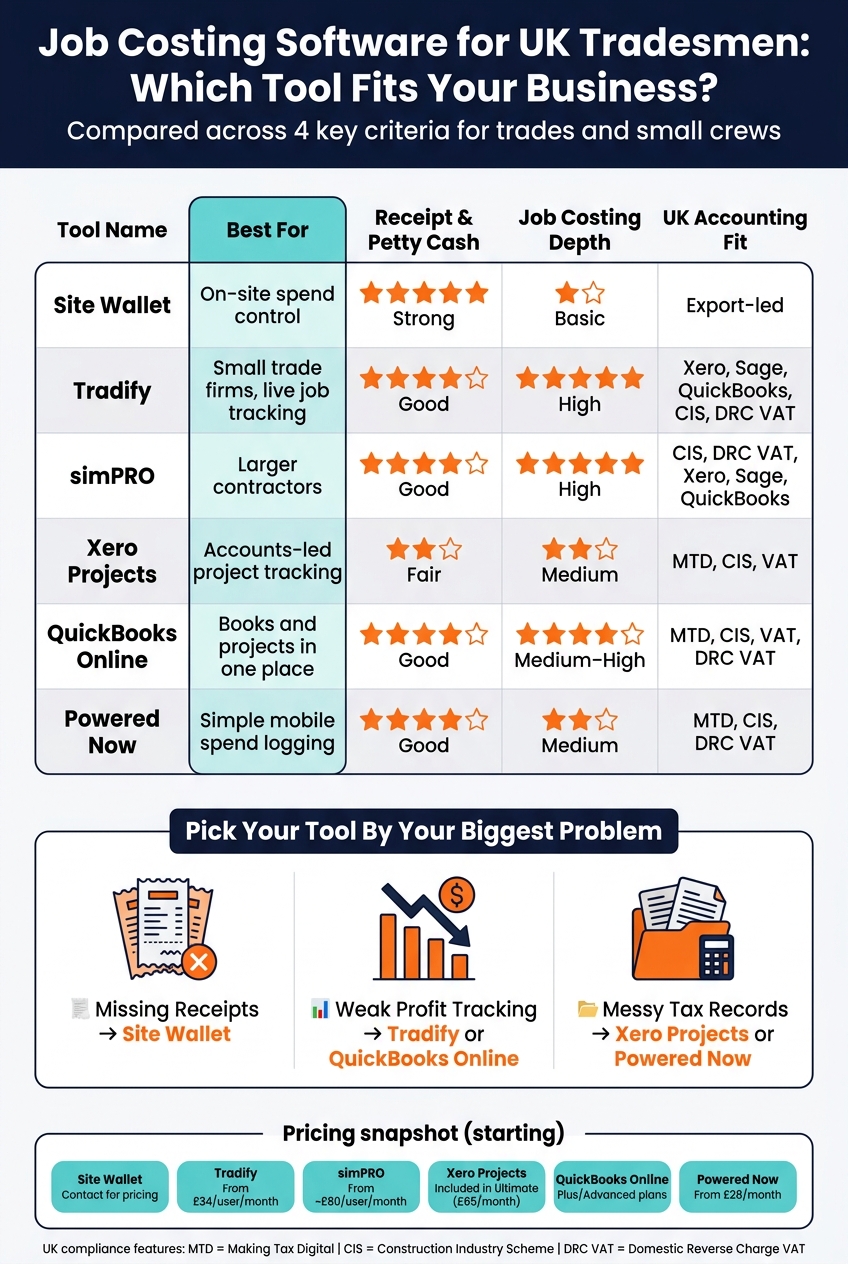
Job Costing Software for UK Tradesmen: Side-by-Side Comparison
Software For Calculating True Job Costs Service Contractors
sbb-itb-12417dd
Quick Comparison
| Tool | Best for | Receipt and petty cash | Job costing depth | UK accounting fit |
|---|---|---|---|---|
| Site Wallet | On-site spend control | Strong | Basic | Export-led |
| Tradify | Small trade firms with live job tracking | Good | High | Xero, Sage, QuickBooks, CIS, DRC VAT |
| simPRO | Larger contractors | Good | High | CIS, DRC VAT, Xero, Sage, QuickBooks |
| Xero Projects | Accounts-led project tracking | Fair | Medium | MTD, CIS, VAT |
| QuickBooks Online | Books and projects in one place | Good | Medium to high | MTD, CIS, VAT, DRC VAT |
| Powered Now | Simple mobile spend logging | Good | Medium | MTD, CIS, DRC VAT |
A simple rule helps: pick the tool that fixes your main leak first - missing receipts, weak profit tracking, or messy tax records.
1. Site Wallet

Site Wallet is a mobile-first platform built for tradesmen and small crews who need one place to track job spend and petty cash.
Job-based expense capture
Users can scan receipts in the app, and the receipt data is matched to the right job automatically. Those costs then flow into a live job cost view alongside labour from timesheets. Users can also log a purchase against a job in seconds, which saves the usual end-of-week spreadsheet cleanup. In plain terms, the spend stays linked to the job from the start, before cash handling and paper receipts turn into a mess.
Petty cash and receipts
Site Wallet keeps advances, expenses, and settlements together, so outstanding advances and reimbursements stay in view. Site managers can photograph receipts in the app, and those images are stored securely and attached to the expense record to create a digital audit trail. That matters because when someone asks where the money went, the record is already there.
Cash flow and reporting
A live dashboard shows spend, remaining budget, and margin as costs are logged. Exports are available in PDF, CSV, and ZIP formats, which makes it simple to pass records to a bookkeeper or move them into a spreadsheet.
UK accounting fit
For UK trades, Site Wallet keeps job-level spend visible before records move into bookkeeping.
2. Tradify

Tradify is a job management platform built for trades businesses. It brings quoting, scheduling, invoicing and job costing into one app. Job costs stay linked from the first quote through to payment, so labour, materials and receipts all sit against the right job. And because the iOS and Android apps are made for life on the road, teams can update jobs from the van or on-site.
Job-based expense capture
Tradesmen can add materials, labour hours and one-off costs straight to a job from their phone. Labour tracking works with either a live timer or manual timesheets, and you can set different rates by role.
For materials, there are a couple of practical options. You can import supplier price lists by CSV or sync inventory from accounting software. Tradify also includes pre-built time-and-materials bundles for repeat jobs, which helps cut down admin when the same type of work comes up again and again.
Petty cash and receipts
Field staff can attach photos of receipts and supplier invoices straight to a job record in the mobile app. That matters more than it sounds. Instead of bits of paper floating around the cab or office, everything stays with the job.
On Plus (£44 per user/month), receipt scanning pulls the supplier name, date, total and VAT into a draft bill that syncs to accounting software. Teams can also log out-of-pocket expenses, mileage and subsistence against the job.
Cash flow and reporting
Tradify compares quoted costs with actual labour and material spend. Per-job profit-and-loss views make it easier to see which types of work bring in money and which ones quietly eat into margin.
For cash flow, automated payment reminders and online payments through Stripe or GoCardless can help bring money in sooner. Businesses using these features get paid 25% faster on average.
UK accounting fit
Tradify offers two-way sync with Xero, Sage and QuickBooks Online. It syncs invoices, bills, payments and contacts. It also supports CIS compliance, including Domestic Reverse Charge VAT support for subcontractor work.
Plans start at £34 per user/month, and there’s a 14-day free trial.
3. simPRO
simPRO is a better fit for larger contractors running complex, multi-stage jobs. It’s geared toward stock-heavy work and bigger staged projects.
Job-based expense capture
simPRO shines when you need labour, stock and staged billing tied back to one project. It links labour, stock and purchase orders to the same job card in real time. That means teams can see job costs as they build, not days later once everything lands in the office.
It also handles materials through built-in inventory tools, including purchase orders, stock locations, and the option to assign van stock or warehouse parts to a job card. On top of that, simPRO supports progress claims, retentions and multi-stage billing for multi-trade projects.
Petty cash and receipts
Field staff can upload receipt photos straight to a job card in the simPRO Mobile app. The Data Feed add-on pulls data from emails and attachments, which helps cut down manual input. Costs can also be split across jobs or cost centres by hours or percentages.
Cash flow and reporting
simPRO comes with more than 70 pre-built reports for job profitability, technician performance and customer margins. Its real-time analytics show margins by job type, customer and individual engineer, so managers can spot where money is being made or lost.
For UK contractors, this matters even more when those costs also need to flow cleanly into CIS and VAT processes.
UK accounting fit
For UK firms, simPRO includes built-in CIS management and supports Domestic Reverse Charge VAT in its invoicing and payroll workflows. It also connects with Xero, QuickBooks, Sage 50 and Sage 200.
Pricing starts at about £80 and can go beyond £200 per user, per month. Onboarding for a small contractor usually falls between £800 and £1,500. That makes simPRO a costly and more involved platform, so it tends to suit larger contractors better than simple service work.
"SimPro is the heavier platform for medium-to-large trade contractors; Tradify is the simpler, faster pick for solo and small-team operators." - Chip Alvarez, Reviewer, Field Service Software
4. Xero Projects
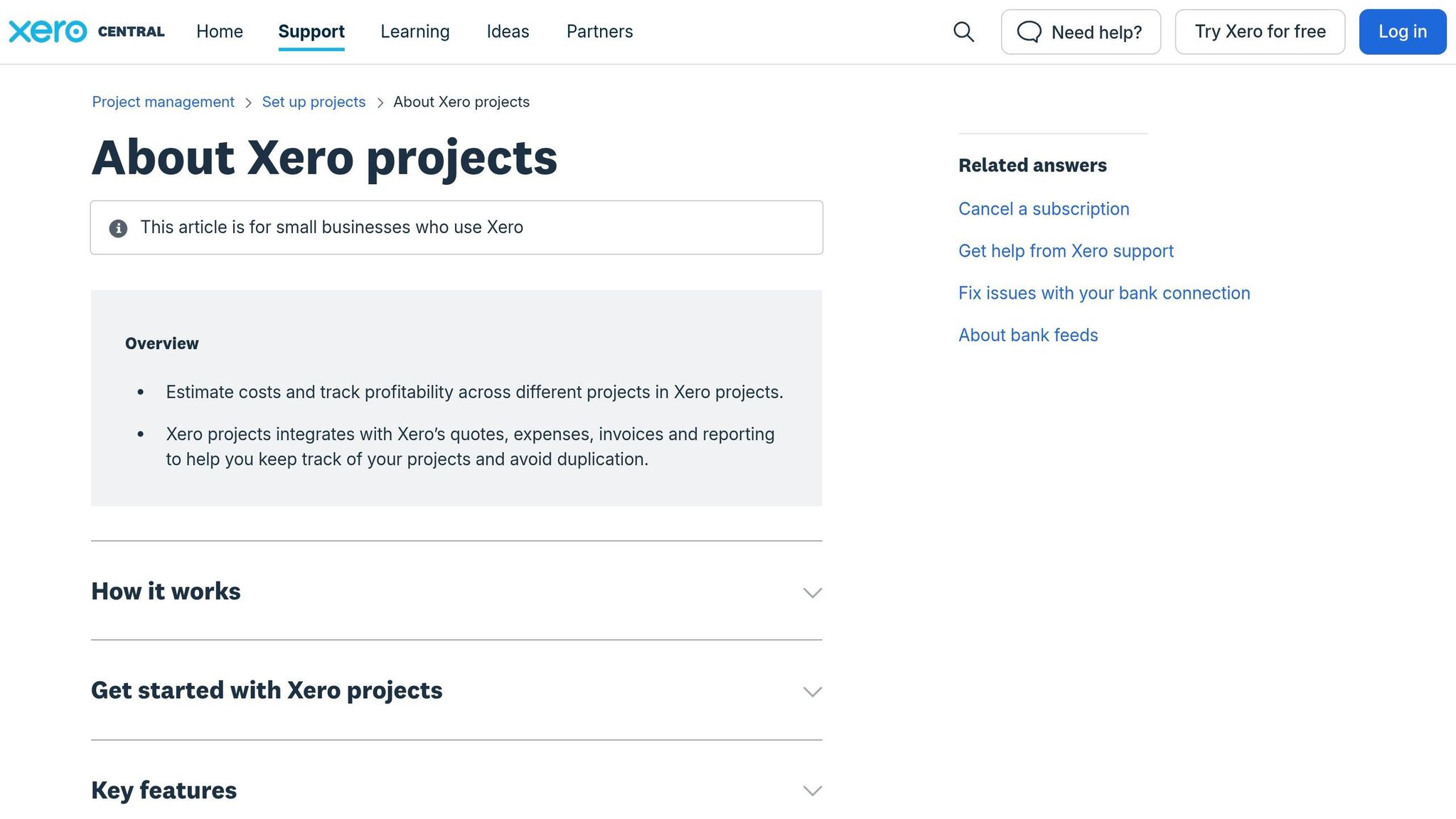
If you want job costing inside your accounts instead of in a separate project tool, Xero Projects keeps everything under one roof. Because it sits inside Xero, your job costs stay tied to the accounts, which cuts down double entry and gives you a live view of project profit.
Job-based expense capture
You can assign bills, supplier invoices and expenses to a specific project as you record them. Labour can be logged with a timer, by manual entry or through the mobile app.
That setup works well for simple tracking. But it doesn't include native purchase orders or detailed cost coding. In practice, that means it's good at keeping day-to-day site spend linked to the right job before paperwork slips through the cracks.
Petty cash and receipts
Field staff can photograph receipts in the mobile app and assign them straight to a job. Reimbursements run through built-in expense claims. Access is limited by plan: 1 user on Grow, 5 on Comprehensive and 10 on Ultimate.
Xero Projects comes with the Ultimate plan at £65 per month excluding VAT for up to 10 users. On lower plans, you need paid add-ons.
Cash flow and reporting
The profitability dashboard shows estimated costs against actual costs in real time, so you can spot overruns on labour or materials while the job is still active. That's a lot more useful than finding out at year end that a project went off course weeks ago.
Cash flow forecasts range from 30 days on Ignite to 180 days on Ultimate. Xero also includes these project reports:
- Project Summary
- Project Financials
- Project Details
These reports cover budgets, tasks, expenses and invoices. So you get a financial view you can act on before costs roll into the year-end accounts.
"Xero's construction accounting features bring your job costing, invoicing, and financial reporting together in one place." - Jotika Teli, Certified Public Accountant
UK accounting fit
Xero is fully MTD-compliant for VAT and Income Tax, and it automates CIS calculations and reporting for subcontractor payments. That matters even more now, because from April 2026 HMRC has new powers to cancel CIS gross payment status.
Project data, time and invoices sync automatically, which helps keep records up to date and ready for your accountant.
5. QuickBooks Online

If you already run your books through QuickBooks, Projects keeps job costing in that same setup. That makes QuickBooks Online a good fit for firms that want bookkeeping and job costs under one roof, instead of split across different tools.
Job-based expense capture
Projects is available on Plus and Advanced. You can track materials, subcontractor costs, and mileage against each job. To make those costs show up in project reporting, record purchases as Expenses or Bills with a Project tag. Journal entries can leave costs out of job reports.
Labour can be tracked using actual payroll figures or estimated hourly rates, which gives you a live view of profitability between payroll runs.
Petty cash and receipts
Receipt Snap pulls out the date, amount, and tax from receipt photos. You can attach uploads to the right project as you capture them, which helps keep petty cash and receipt records tied to the correct job from the start.
Cash flow and reporting
The dashboards show cash flow, unpaid invoices, and margins by job while the work is still in progress. That means you’re not waiting until the end of a project to spot margin drift or missing costs.
UK accounting fit
QuickBooks is MTD-compliant, handles VAT and Domestic Reverse Charge VAT, and supports CIS calculations and CIS300 filing.
The main drawback is process discipline. Job reports only stay accurate if costs are tagged at source.
6. Powered Now
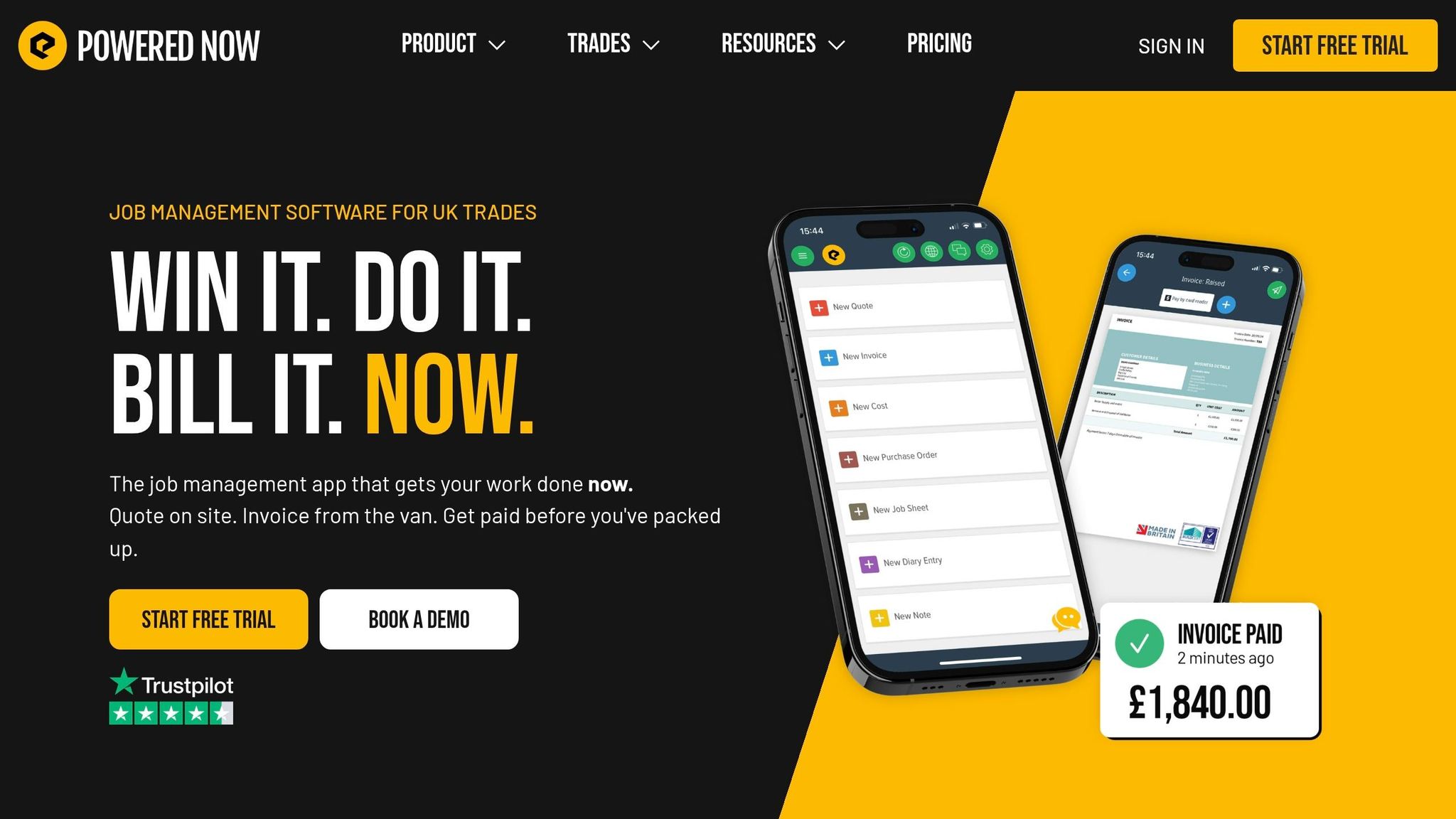
Powered Now is a UK-focused job costing app built for expense capture and compliance. It works best when crews need to log spend on site before receipts go missing and hours slip through the cracks. Pricing starts at £28 a month.
Job-based expense capture
You can record materials, fuel, travel, supplier bills, and time against each job straight from a phone. The app also works offline, then syncs on its own when the signal comes back, which helps on sites where reception is patchy.
That makes it a good fit for firms that want simple on-site cost logging, not a heavier office-led system.
Petty cash and receipts
Staff can submit expenses in the app, and managers can approve them before any reimbursement is paid. Photographed receipts are stored digitally for approval and audit. The AI Receipt Scanner is offered on the Premium plan at £40 a month per user.
Once those costs are logged, the next step is simple: check whether the job is still making money.
Cash flow and reporting
Expenses, invoices, and timesheets flow into live Profit & Loss reports. You can also keep an eye on unpaid invoices and outstanding balances from the reporting dashboard.
UK accounting fit
Powered Now is MTD-ready and supports CIS and Domestic Reverse Charge VAT. Xero integration is offered on the Professional and Premium plans for invoice and payment sync.
Strengths, Trade-Offs, and Best Fits by Feature
The clearest gaps now show up in three places: how each tool records spend, how it handles receipts, and how early it helps you spot margin slip.
Expense capture and cost coding
The core split is simple: speed of capture versus depth of costing.
Tradify is a better match for detailed job costing, while Site Wallet is built for fast on-site admin. With Tradify, you can import supplier price lists and compare forecast costs against actual spend as a job moves along. Site Wallet takes a more stripped-back route: scan a receipt, tag it to a job, and carry on. No extra faff.
| Tool | Job-Level Tagging | Cost Coding Depth |
|---|---|---|
| Site Wallet | Yes | Basic |
| Tradify | Yes | High (kits, price lists) |
| Xero | Yes | Moderate |
| QuickBooks Online | Yes | Moderate |
Once spend is tagged, the next thing that matters is whether receipts and reimbursements stay linked to the right job.
Petty cash, receipts, and reimbursements
This is where mobile-first design has the biggest day-to-day impact. Site Wallet is built around this exact task: scan a receipt, tag it to a job, and log it before you've even pulled away from the petrol station.
Tradify makes more sense when receipt data needs to feed back into broader job and accounts workflows. Xero and QuickBooks Online come from the accounts side first, so they suit teams already working inside those systems.
| Tool | Mobile Receipt Capture | Petty Cash Logging | Reimbursement Workflow |
|---|---|---|---|
| Site Wallet | Yes | Yes | Export-based |
| Tradify | Moderate | Limited | Via accounting sync |
| Xero | Limited | Limited | Accounting workflow |
| QuickBooks Online | Yes | Limited | Employee expense modules |
After capture, control is the next test. Can the software show margin drift early enough for someone to do something about it?
Cash flow visibility and reporting
QuickBooks Online gives the deepest reporting if your job costing is driven from accounts. Xero offers solid project-level visibility, but you need the broader accounts setup for deeper analysis. Site Wallet sticks to the basics: cash flow tracking, plus PDF, CSV, and ZIP exports for bookkeeping and end-of-week checks.
| Tool | Actual vs Budget | Reporting Depth | Best Use |
|---|---|---|---|
| Site Wallet | No | Basic | Fast cash flow admin |
| Tradify | Yes | Detailed | Live job costing |
| Xero | Yes | Project-level | Accounts-led project tracking |
| QuickBooks Online | Yes | Strong | Broader job costing and reporting |
Best fit by trade type and business size
Some patterns stand out pretty fast.
- Sole trader, domestic repairs: Site Wallet fits well for quick receipt capture, lower risk of missed small spend, and very light admin.
- Call-out crew: Site Wallet works well here too, thanks to mobile-first receipt logging, built-in petty cash handling, and simpler reporting needs.
- Small contractor, multiple live jobs: Tradify or QuickBooks Online are the stronger picks if you need tighter actual-vs-budget tracking and deeper margin reporting.
Pros and cons summary
| Tool | Strengths | Trade-Offs |
|---|---|---|
| Site Wallet | Fast on-site capture, petty cash focus, simple exports | No actual-vs-budget tracking |
| Tradify | Detailed job costing, supplier price lists, actual-vs-budget | More setup than a simple receipt app |
| Xero | Fits accounting workflow, project-level summaries | Accounts-led, less suited to on-site capture |
| QuickBooks Online | Deepest reporting, scalable project tracking | Accounts-led; cost tagging needs process discipline |
What to Check Before You Choose
Start with your biggest costing gap
Use the feature comparison above to spot the one costing gap that’s draining money fastest.
If receipts keep ending up in a glove box or jacket pocket, receipt capture and petty cash control should come first. If turnover looks healthy but you still can’t tell which jobs make money, job profitability reporting should be at the top of the list. And if the main headache is the year-end tax return scramble, clean exports matter most.
From April 2026, sole traders with turnover above £50,000 come under MTD-IT. So it makes sense to pick a tool that keeps digital records tidy and exports data cleanly.
Trial on live jobs before committing
Once you know where the gap is, test the tool on actual work.
Run one or two live jobs through it for a week. Log every cost, including VAT, then check how fast the tool gives you:
- a job cost report
- a cash flow snapshot
- a complete digital receipt pack
Here’s a simple test that tells you a lot: can you create a job and log a receipt by photo in under 60 seconds while on-site? If not, it’ll probably fall apart when the job gets busy. That kind of trial shows weak workflows fast.
Final summary
The right choice depends on which workflow needs fixing first. Pick the tool that plugs your main costing leak, not the one with the longest feature list.
- On-site capture: put fast receipt scanning, job tagging, and easy exports first.
- Job profitability: look for reporting that tracks fully loaded labour, materials, and overheads.
- Compliance: look for MTD-ready exports and steady bank feeds for your bookkeeper.
For tradesmen and small crews, Site Wallet is built for mobile-first receipt capture, petty cash control, job tagging, cash flow tracking, and export-ready records.
FAQs
How do I choose the right job costing features?
Choose features that give you clear control over job finances and fit the way your UK business runs. Focus on project-based cost tracking, labour time, materials, overhead allocation, mobile receipt logging, and reporting that shows profit and cash flow in plain terms.
It also helps to look for UK-specific support. That means VAT and CIS features, plus integration with your accounting software so you can cut down on manual entry and keep admin from eating up your day.
What should I test during a free trial?
Check whether it logs the actual cost of each job, including materials and labour, against what you quoted. That gives you a clear view of your true margin, not just the number you hoped for at the start.
It’s also worth looking closely at the mobile experience. If your team is on-site most of the day, a clunky app will slow everything down. And if CIS deductions apply to your work, make sure the system handles them properly.
One more thing: see whether invoices sync on their own with your current accounting software. If you still need to mess about with manual CSV exports and imports, that’s usually a sign the setup will eat into your time.
How important is VAT and CIS support?
For UK tradesmen, VAT and CIS support matter for three big reasons: staying compliant, protecting cash flow, and steering clear of tax penalties.
The software should take care of the day-to-day CIS work without making it a headache. That means handling subcontractor checks, CIS deductions, and monthly HMRC returns. It should also split labour and materials on invoices, which is a big deal when you need clean records.
On the VAT side, the software needs to support MTD and, where it applies, the domestic reverse charge. If those features are missing, even simple bookkeeping can turn into a mess fast.