
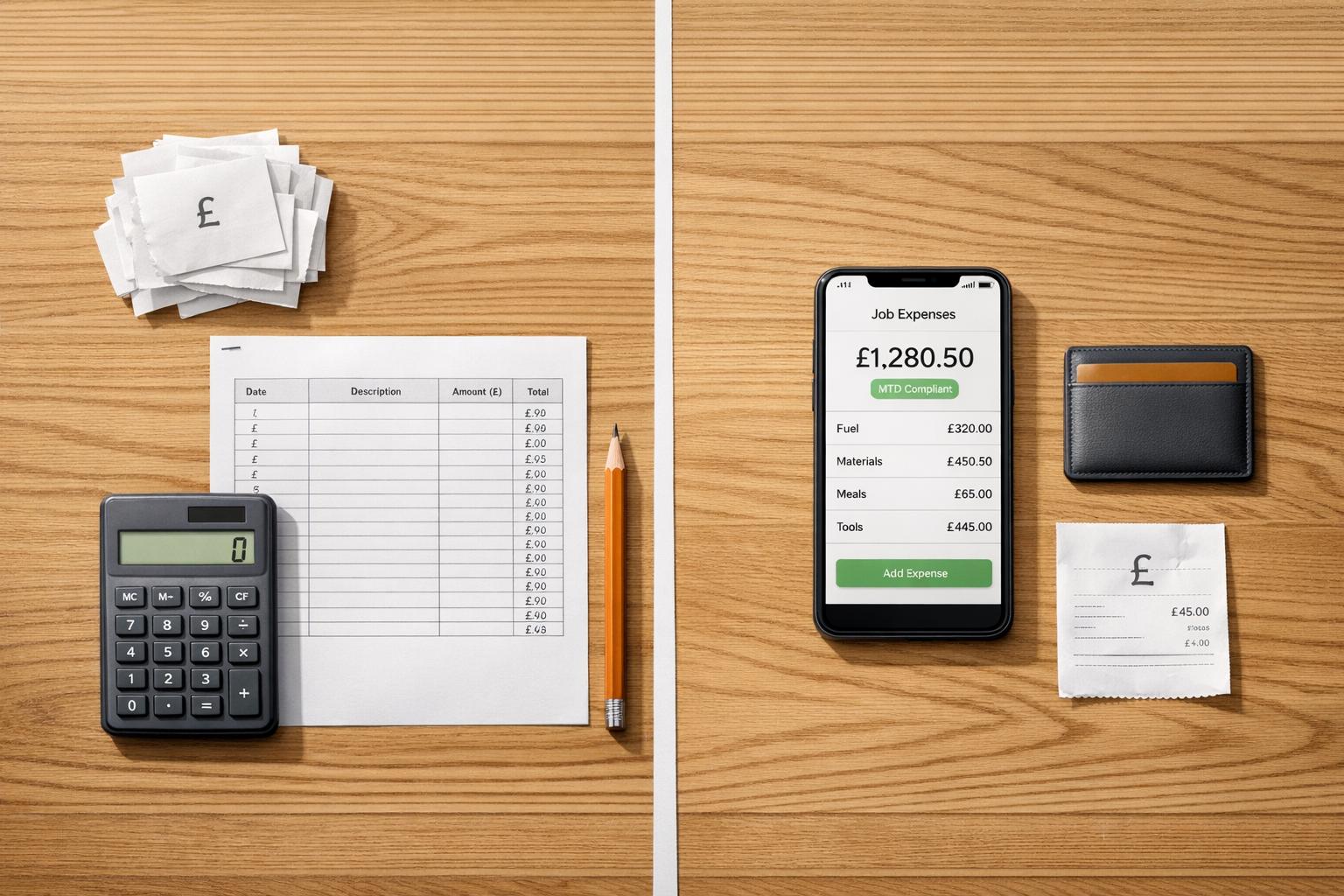
Job Expense Tracking: Manual vs Mobile Apps
Struggling to track job expenses? Here's the bottom line: manual methods (like spreadsheets and paper receipts) are simple and cheap but prone to errors, time-consuming, and not compliant with upcoming tax regulations. Mobile apps, on the other hand, save time, improve accuracy, and meet HMRC's digital record-keeping requirements for Making Tax Digital (MTD), mandatory from April 2026 for sole traders earning over £50,000.
Key Takeaways:
- Manual Tracking: Works for small operations with few transactions but risks errors, lost receipts, and compliance issues.
- Mobile Apps: Ideal for businesses with multiple jobs or high expenses, offering features like receipt scanning, real-time tracking, and MTD compliance.
Quick Comparison:
| Feature | Manual Methods | Mobile Apps |
|---|---|---|
| Cost | Free/low upfront cost | £8–£13/month subscription |
| Speed | ~20 minutes per report | Seconds per entry |
| Accuracy | ~19% error rate | High with AI/OCR scanning |
| Compliance | Not MTD-ready | Fully MTD-compliant |
| Receipt Storage | Physical, prone to loss | Secure cloud storage |
| Real-Time Tracking | Delayed | Instant updates |
If you're earning near £50,000 or juggling multiple projects, switching to a mobile app like Site Wallet can save time and ensure compliance. Stay ahead of MTD changes and simplify your expense tracking today.
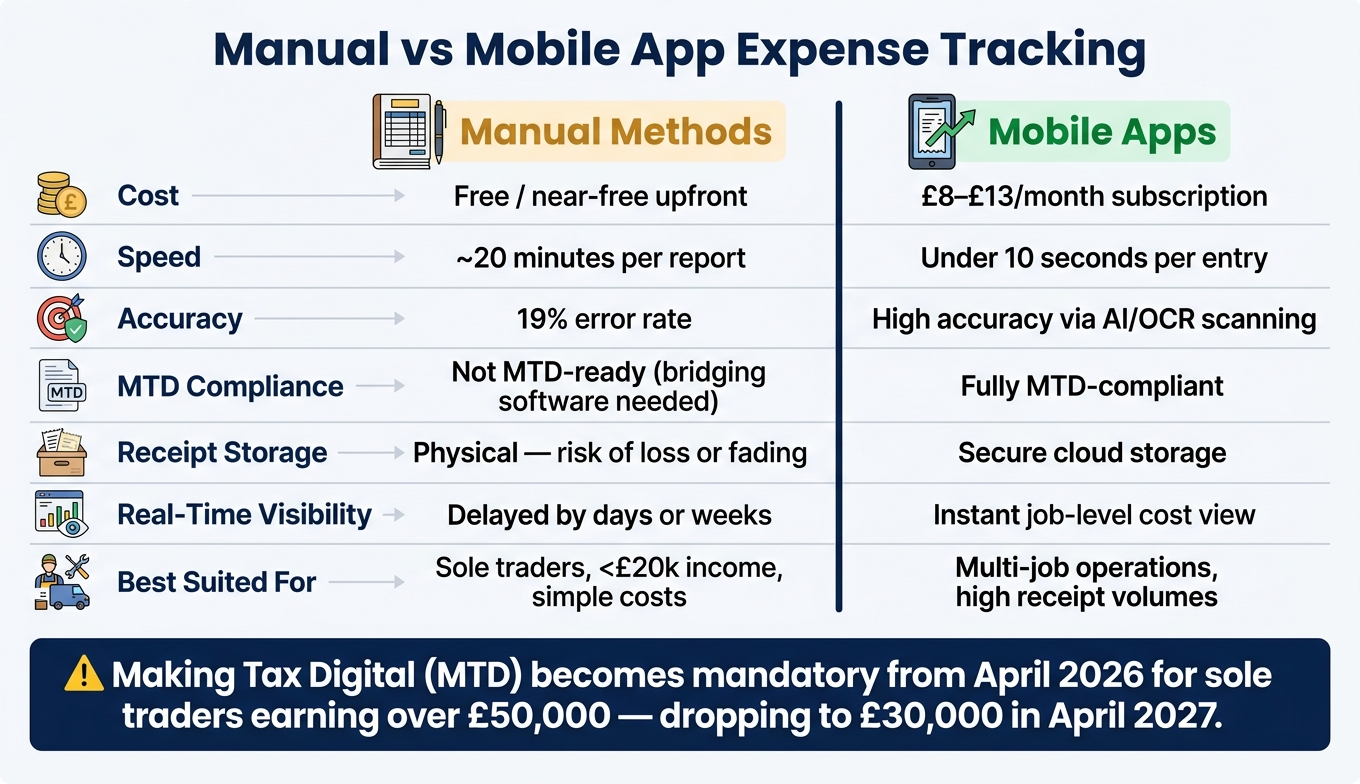
Manual vs Mobile App Expense Tracking: Key Stats & Features
Manual Job Expense Tracking: Pros and Cons
Common Manual Methods
For many tradespeople, managing expenses starts with the simplest approach: collecting receipts in a disorganised manner and tackling the mess at the end of the month. It’s not ideal, but it’s a method most are familiar with.
Beyond the classic "shoebox" trick, there are a few other manual methods commonly used:
- Paper receipts and handwritten logs: These are stored in folders or notebooks and are often used to track mileage or daily purchases on-site.
- Petty cash tins: A small cash reserve kept on-site for minor purchases like fixings or cleaning supplies.
- Spreadsheets: Expenses are manually entered into Excel or Google Sheets, usually during evenings or weekends.
As TradesInfo highlights, "Many tradespeople start by managing finances manually, but as businesses grow the number of transactions quickly increases."
While these methods are far from sophisticated, they do have their merits, especially for sole traders just starting out.
Benefits of Manual Tracking
The main advantage of manual tracking is its simplicity. It’s cheap, doesn’t require any technical know-how, and works anywhere - whether you’re on a remote site with no internet or in the middle of a busy city. There’s no need to learn software, pay subscription fees, or worry about app crashes.
For sole traders with minimal transactions - let’s say fewer than five invoices a month - a spreadsheet may be all they need to keep their expenses in order without investing in accounting software.
Limitations of Manual Tracking
However, manual tracking has plenty of downsides, and these tend to become more apparent over time. For instance, thermal paper receipts - commonly issued by UK builders' merchants - are notorious for fading, sometimes becoming unreadable when needed for tax returns or HMRC queries. Receipts can also be lost, damaged by rain, or misplaced entirely.
Accuracy is another issue. Manual data entry is both time-consuming and prone to mistakes. A study cited by Frank Osborn of Foundation Software found that:
"Manual data entry generates errors in 19% of expense reports, leading to budget overruns often unnoticed until weeks after spending occurs."
The time lag is also a major problem. Admin tasks are often done in batches, meaning your cash flow overview is rarely up to date. Costs tend to appear in large chunks at the end of the month, which can make your finances look healthier than they actually are. James Rowell from Capture Expense explains:
"When receipts only come through hours - or days - after the spend happens, managers lose visibility, forecasts slip, and small delays compound across the project."
Another consideration is compliance. Manual spreadsheets don’t meet the requirements for Making Tax Digital (MTD), which will apply to those earning over £50,000 starting 6 April 2026.
| Feature | Manual (Paper/Spreadsheet) |
|---|---|
| Cost | Low - free or near-free |
| Speed | Slow - ~20 minutes per report |
| Accuracy | Error-prone - 19% error rate |
| Cash flow visibility | Delayed - often weeks behind |
| MTD compliance | No - requires bridging software |
| Receipt storage | Physical - risk of loss or fading |
These challenges often push tradespeople to consider automated solutions for tracking expenses, especially as their businesses grow.
sbb-itb-12417dd
Mobile Apps for Job Expense Tracking
Key Features of Expense Tracking Apps
Mobile apps have stepped in to tackle the shortcomings of manual expense tracking. One standout feature is AI-powered receipt scanning. With this, you can simply snap a picture of a receipt, and the app will extract key details like the supplier name, total amount, date, and VAT rate - all in seconds.
These apps also let you tag expenses to specific jobs or customers right away. This means you can keep tabs on job costs in real time, eliminating the hassle of reconciling them later. For mileage, many apps utilise GPS tracking or allow manual input to record trips and calculate costs using HMRC's approved rate - currently 55p per mile for the first 10,000 business miles, effective from 6 April 2026. Even when working in areas with no internet access, offline functionality allows you to log expenses and scan receipts. Once you're back online, all data syncs automatically.
Benefits of Using Mobile Apps
These apps are a major time-saver. You can log purchases in seconds, and they automatically calculate recoverable VAT, giving you up-to-date cash flow insights. For VAT-registered businesses, this automation ensures compliance with HMRC's rules, which is becoming increasingly important. With the upcoming Making Tax Digital for Income Tax, businesses earning over £50,000 will need to submit quarterly digital updates starting 6 April 2026 (lowering to £30,000 in April 2027).
Additionally, many apps simplify handling CIS deductions. They can track whether a subcontractor is subject to 20%, 30%, or gross deductions, reducing the risk of errors in calculations.
However, while these apps offer clear advantages, they aren’t without their downsides.
Drawbacks of Mobile Apps
One of the main drawbacks is cost. While some apps offer free plans, these often come with limitations, like a cap on the number of AI scans per month. Access to full features usually requires a subscription, which may not seem worthwhile for sole traders with only a handful of transactions.
Another challenge is adoption. Currently, only 32% of construction expense claims are submitted via mobile, with 47% still handled on desktops. This reflects the difficulty of breaking established habits. Switching to a new system requires users to adjust their routines, which isn’t always easy. However, apps like Site Wallet are designed with a mobile-first approach, making them particularly convenient for tradespeople who are often on the move.
| Feature | Manual / Paper Methods | Mobile Expense Apps |
|---|---|---|
| Data Entry | Handwritten notes or spreadsheet typing | AI/OCR scanning with automatic data extraction |
| Receipt Storage | Physical folders or shoeboxes | Secure cloud storage with digital backups |
| Job Costing | End-of-period reconciliation | Real-time insights into profit and job budgets |
| HMRC Compliance | Risk of lost or faded records | MTD-ready digital records with built-in audit trails |
| CIS Tracking | Manual calculations | Automated CIS deduction tracking |
| Speed | Time-consuming manual entry | Instant logging at the point of purchase |
Manual vs Mobile Apps: UK Job Scenarios
Petty Cash and Small Site Purchases
For tradesmen, small expenses like parking fees, fixings, or local material pickups can pile up quickly. These costs are often overlooked when relying on manual tracking methods. Receipts tend to get misplaced - crumpled in a pocket or lost somewhere under a van seat.
Using a mobile app, you can snap a photo of the receipt before you even leave the shop. The app records the supplier, date, total, and VAT details in seconds. Considering that around 65% of construction expenses are still submitted as paper receipts rather than digital records, tradesmen relying on manual systems risk losing essential documentation for valid claims.
"Desktop‑dominant workflows simply don't fit the reality of construction work. Workers are mobile. Managers are mobile. Costs occur on the move." - James Rowell, Capture Expense
This issue of missing receipts is just one part of the larger challenge of keeping track of expenses accurately - whether for minor purchases or job-specific costs.
Tracking Costs by Job
Manual methods, like jotting down expenses in notebooks or stashing receipts in envelopes for each job, might work for straightforward, short-term projects. But handling multiple jobs at once - say, a bathroom refit, a kitchen extension, and a few smaller call-outs - can quickly turn into an organisational nightmare. By the time you sit down to tally everything up, you’re often relying more on memory than on solid records.
Mobile apps simplify this process by letting you assign each expense to a specific job as soon as it’s entered. This real-time tracking gives you an immediate view of how much each project is costing and can flag potential budget overruns early. The ability to tag expenses by job not only makes cost allocation easier but also ensures better financial management overall.
And it’s not just about tracking costs - keeping proper records is equally important for compliance.
Record-Keeping and HMRC Compliance
HMRC requires sole traders to keep their records for at least five years after the 31 January self-assessment deadline. For those relying on paper receipts, this often means holding onto boxes of documents that fade and become unreadable over time. Thankfully, HMRC accepts digital copies of receipts as long as they are clear and accurate.
For tradesmen registered under the Construction Industry Scheme (CIS), the requirements are even stricter. Records must clearly separate labour costs from materials, as only labour is subject to CIS deductions. Mistakes in this area can lead to expensive errors. A case study from PocketReceipt's 2026 construction guide highlights how Liam, a bricklayer from Newcastle earning £52,000, used digital tools to track his CIS deductions, mileage, tools, and PPE expenses. Thanks to his precise record-keeping, he received an HMRC refund of £2,701 - about £1,734 more than he would have recovered using incomplete manual records.
This example illustrates why many tradesmen are switching to digital systems - not just for convenience but also to stay compliant and maximise their refunds.
From 6 April 2026, the stakes will rise even further. Sole traders earning over £50,000 will need to maintain digital records and submit quarterly updates under the Making Tax Digital for Income Tax rules. For many, this will make manual-only systems a thing of the past.
How to Choose the Right Expense Tracking Method
Factors to Consider
When deciding how to track expenses, think about the size and complexity of your operations. Are you juggling multiple jobs at once? How many transactions do you process weekly? And if your income is approaching the £50,000 threshold, remember that Making Tax Digital (MTD) obligations come into effect from April 2026. Your team size matters too - a sole trader with a few jobs a month won't need the same tools as a small crew managing several active projects.
Another key factor is your team's comfort with technology. While some tradesmen embrace digital tools with ease, others may find them tricky to use. If your team struggles with apps, even the most advanced software won't improve your expense tracking. Evaluate these aspects to decide whether a simple or more advanced method suits your needs.
When Manual Tracking Is Enough
For smaller, simpler operations, manual methods like spreadsheets, notebooks, and paper receipts might be all you need. For instance, if you're a sole trader earning well under £50,000, working with a few regular clients, and keeping costs straightforward, spending 30 minutes each week reconciling your expenses with your bank statements can be sufficient.
That said, manual tracking requires discipline. You'll need to log every expense daily and organise receipts promptly. This is essential not only for keeping costs under control but also for staying compliant with HMRC. For micro-businesses earning less than £20,000 a year, the cost of subscribing to digital tools might outweigh the benefits.
When Mobile Apps Are the Better Choice
If your business handles high transaction volumes, multiple jobs, or frequent petty cash expenses, mobile apps are likely a better fit. Manual methods can quickly become time-consuming and prone to errors. Research from Ardent Partners shows that manual expense processing costs an average of £46 per report and takes about 20 minutes, with errors occurring in roughly 19% of reports. Automating this process can reduce costs by up to 78% and cut processing time by more than 60%.
"For contractors managing tight budgets, expense automation isn't just a convenience - it's a competitive necessity." - Frank Osborn, Foundation Software
For tradesmen nearing or exceeding the £50,000 income threshold, the choice becomes even clearer. MTD will require digital record-keeping and quarterly submissions, making manual methods impractical unless paired with bridging software. Starting with a digital solution now, like Site Wallet, can save time and hassle. This app, designed specifically for tradesmen, allows you to scan receipts, tag expenses by job, and export accountant-ready records - all without a steep learning curve.
| Factor | Manual Tracking | Mobile Apps |
|---|---|---|
| Best suited for | Sole traders, <£20k income, simple costs | Multi-job operations, teams, high receipt volumes |
| Speed | ~20 minutes per report | Under 10 seconds to log on-site |
| Accuracy | ~19% error rate | High - AI/OCR extracts data automatically |
| MTD compliance | Bridging required | MTD-ready |
| Real-time visibility | Delayed by days or weeks | Instant job-level cost view |
| Receipt storage | Physical – risk of loss or fading | Secure cloud storage |
| Cost | Low upfront, high hidden labour cost | Monthly subscription (typically £8–£13/month) |
Top Apps For Contractors and Handymen! #business #construction #service
Conclusion: Picking the Right Method for Your Business
Choosing the best expense tracking method depends on your business's size and complexity. If you're a sole trader with simple expenses and only a few jobs each month, a well-organised spreadsheet might do the trick. But as your workload increases, manual tracking can become slower, less accurate, and may even fall short of HMRC requirements.
The industry still leans heavily on paper submissions for expenses, leaving many tradesmen vulnerable to lost receipts and delays in tracking costs. Over time, this risk only grows.
For tradesmen earning close to or over £50,000 annually, Making Tax Digital becomes mandatory from April 2026. This means digital record-keeping isn't just a time-saver; for many in the UK, it's a legal necessity. And with the threshold lowering to £30,000 in April 2027, the opportunity to delay this transition is quickly shrinking. In light of these changes, adopting a digital solution is becoming increasingly important.
This is where tools like Site Wallet step in. Designed specifically for tradesmen and small crews, it allows you to scan receipts on-site, tag them to specific jobs, and keep all your records organised - no accounting expertise required. Whether it's managing petty cash for one project or tracking expenses across multiple sites, everything is centralised and ready for your accountant when needed.
"Good record-keeping is not just about satisfying HMRC. It is the foundation of understanding how your business actually performs." - Concorde Company Solutions
The move from manual methods to mobile solutions doesn't have to be overwhelming. Start now: snap a photo of each receipt, tag it by job, and make a habit of reconciling weekly.
FAQs
What counts as an allowable business expense?
An allowable business expense refers to any cost incurred entirely for the purpose of running your business. These expenses can be deducted from your turnover, helping to reduce your taxable profit.
Some common examples include:
- Office costs: Expenses like heating, lighting, or stationery.
- Business travel: Travel costs related to work (but not commuting).
- Staff wages: Salaries paid to employees.
- Marketing: Advertising or promotional activities.
- Insurance and materials: Necessary for running your business.
It's essential to keep proper records, such as receipts or invoices, to support your claims. If an expense is partly for personal use, only the business-related portion can be claimed. Remember, certain costs - like personal items, fines, or client entertainment - are not considered allowable.
Do digital photos of receipts satisfy HMRC record-keeping rules?
Yes, HMRC accepts digital copies of receipts as valid records, provided they are clear and stored for the required duration. The image must display key details like the date, supplier, amount, and VAT.
However, under the Making Tax Digital initiative, simply taking a photo isn’t enough. You’ll need to use compatible software to log transaction details, such as the expense category and amount, and ensure the receipt image is linked to your digital records.
How do I switch from spreadsheets to an app without losing past records?
Switching from spreadsheets to an app doesn’t mean you have to lose your past records. Start by keeping your spreadsheet as a permanent archive. Make sure to securely back up all your files before moving forward. Then, set the app’s starting balance to match the figures in your spreadsheet.
For a smooth transition, consider running both systems side by side for a few weeks. This will help you compare results and ensure everything is accurate. As you grow confident in the app’s reliability, use it for your daily tracking needs while keeping the spreadsheet as a static reference for historical data.