

Q&A: Managing Receipts and Expenses on Site
If I sort receipts on site, I save money, time, and tax stress. A faded receipt can become useless in 6 to 12 months, HMRC can fine me up to £3,000 for poor records, and a CIS subcontractor with £8,000 of valid expenses could move a refund from £868 to £2,948.
Here’s the short version:
- Photograph each receipt straight away when I pay
- Add the supplier, date, amount, and business reason
- Tag each cost to the right job so job costs stay clear
- Split mixed personal and work spending at the time
- Keep petty cash logged with a receipt or voucher for every spend
- Store digital copies for the full time limit
- 5 years after the 31 January deadline for sole traders
- 6 years for limited companies
- Keep VAT details if I want to reclaim VAT
- Export records each month or quarter for bookkeeping
- Use digital records now, because MTD for Income Tax started on 6 April 2026 for sole traders over £50,000, and drops to £30,000 in April 2027
One more thing: a bank statement on its own is not enough. I need the actual receipt, or at least a duplicate plus a clear spend log, to show the cost was for work.
That’s the whole idea of this guide: I keep receipts in order the moment I spend, link them to the right site, log cash buys, and make year-end bookkeeping much less of a mess.
How to Capture Receipts Straight Away on Site
Photograph or scan the receipt at the till, before it ends up stuffed in your pocket or rattling around the van. HMRC accepts a clear, legible digital copy of the original as evidence. Once you’ve saved the image, note the details that matter for tax and job costing.
What to Record When You Pay for Fuel, Materials or Parking
Record the supplier name, date, item or service, and total paid. If you’re claiming VAT, include the VAT number too. For fuel, add the number of litres. For parking or tolls, tag the job or site name.
If one receipt includes both personal and business spending, split it at the till or mark the business items before saving it. That way, each cost is ready to go against the right job there and then.
Using Site Wallet to Scan and Tag Receipts on the Spot
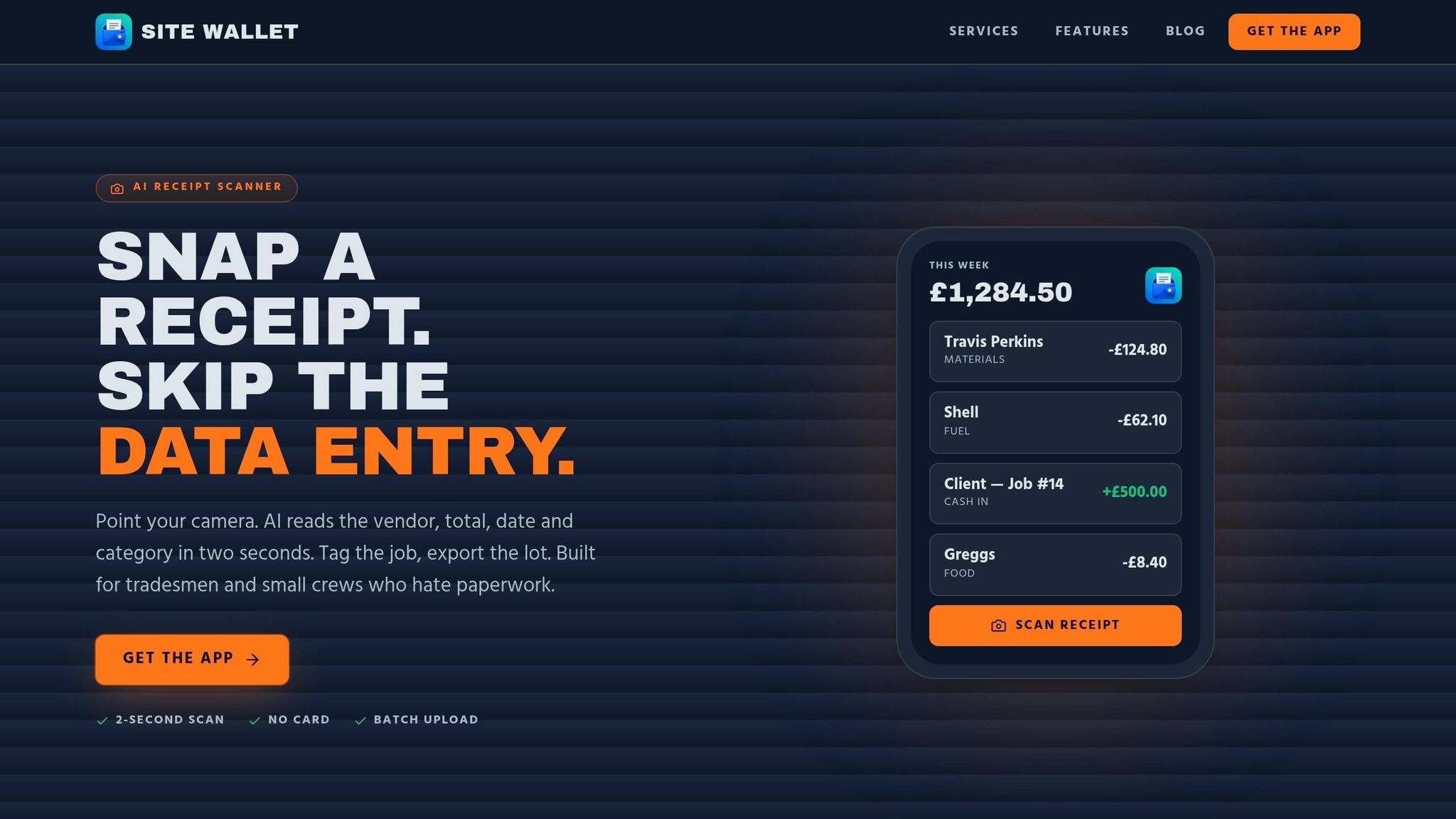
Site Wallet lets you photograph the receipt in the app and then reads the supplier, date, amount and VAT for you. Once those details are pulled in, assign the cost to the right job.
It takes seconds on site, and it saves you from sorting a pile of crumpled receipts later.
What to Do When a Receipt Is Missing
If the receipt has disappeared by the time you leave site, log the spend straight away in your app or day book. Record the date, amount, supplier and item, then ask for a duplicate that same day.
A bank or card statement can back up the spend, but it does not replace the receipt. For VAT claims, the supplier's VAT number must be visible.
sbb-itb-12417dd
Organising Expenses by Job and Managing Petty Cash
Once you’ve captured receipts, the next step is to sort them by job and keep petty cash under control. If you lump all expenses together, job costs get blurred. Tagging each spend to a job or site gives you a much clearer view of what each project is costing.
That matters for a few reasons. Job-level records show the true cost of each project, make recharge claims easier, and give your accountant clean, organised data.
Simple Job Categories That Work on Site
Keep your categories practical and easy to use on site. A simple setup like this works well for most crews:
- Materials
- Fuel/Vehicle
- Tools & PPE
- Parking & Tolls
- Subsistence
Then tag each spend with the job code or site name.
If one receipt covers two jobs, make a note of the split on the receipt or in your app before you leave the merchant. That quick note at the time can save a lot of head-scratching later.
A Basic Petty Cash Process for Small Crews
For small crews, one simple float is usually enough. Petty cash is a small fixed cash float, usually £50 to £200, kept on site for minor purchases. One named person should hold the tin and take charge of the log.
Every spend, even a tiny one, should include:
- the date
- the supplier
- the amount
- the job name or code
- a short description
Each entry should also have a receipt or petty cash voucher to back it up. At set intervals, count the cash left and check it against the log and receipts so everything matches.
How Site Wallet Tracks Cash Spends by Job
Digital logging makes petty cash much easier to check at the end of the day. With Site Wallet, you can log each cash expense in the app, attach a photo of the receipt, and mark it as petty cash.
The app scans each receipt, tags the spend to the job, and updates totals straight away.
Site Wallet keeps each cash spend tied to a job, with receipt images and running totals stored in one record.
Staying Compliant and Ready for Bookkeeping
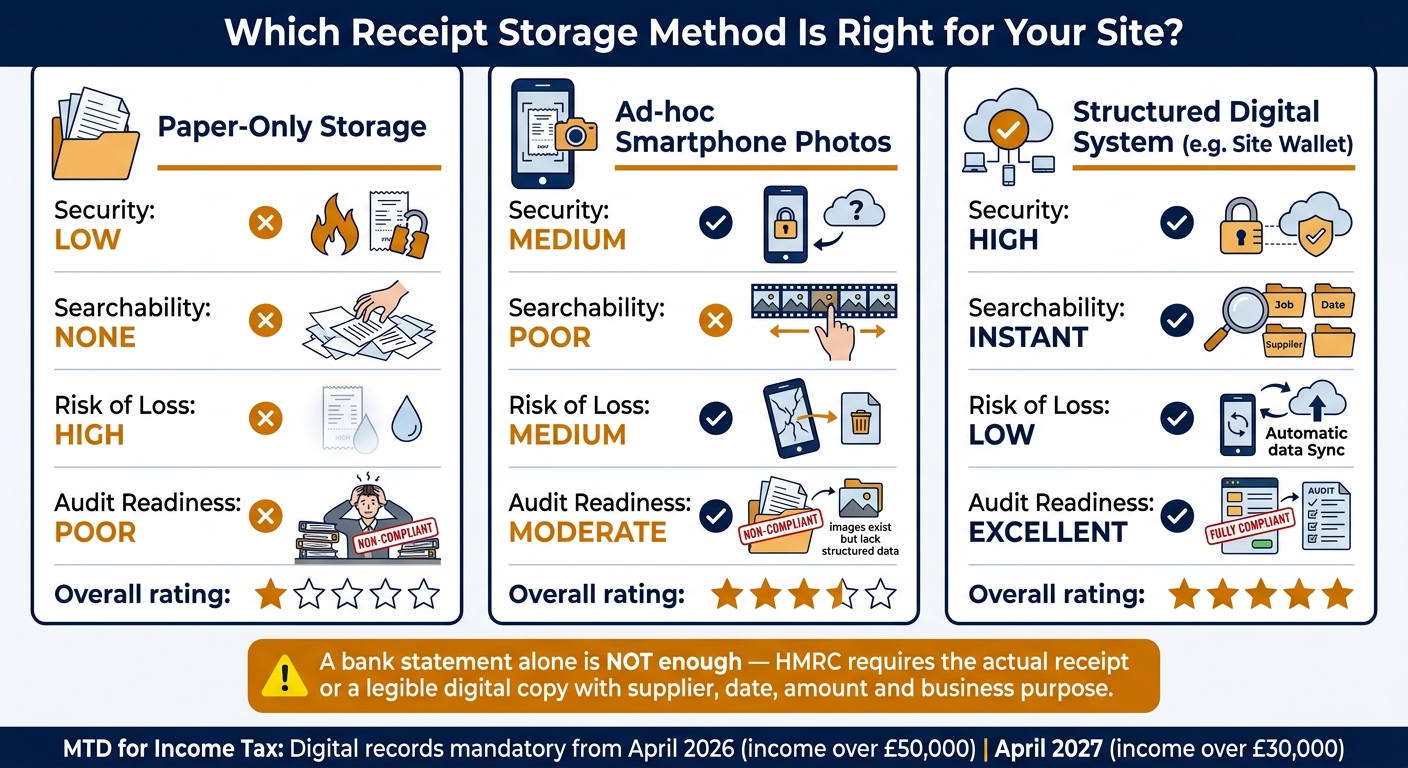
Paper vs Phone Photos vs Digital App: Receipt Storage Comparison for Tradespeople
Once receipts are tagged by job, the next step is making sure they’re stored in a way that HMRC and your bookkeeper can actually work with.
Good record-keeping isn’t optional. It’s a legal duty. Sole traders must keep expense records for at least 5 years after the 31 January Self Assessment deadline. Limited companies must keep them for 6 years from the end of the accounting period.
For each purchase, keep:
- the supplier name
- the date
- the amount paid
- the business purpose
A bank statement on its own does not replace a receipt. If you're VAT-registered, you also need a VAT invoice or receipt that shows the supplier’s VAT number, VAT rate and VAT amount. Simplified receipts are fine for business purchases under £250 including VAT. Go above that, and you’ll need a full VAT invoice if you want to reclaim VAT.
Mixing personal and business spending is where things start to get messy. It muddies the records and makes reconciliation harder. HMRC only allows deductions for costs that are wholly and exclusively for business use.
If you’re still relying on loose paper or random phone snaps, now’s the moment to move to digital records.
When Digital Copies Are Acceptable for HMRC
How you capture a receipt matters just as much as where you keep it.
HMRC accepts clear digital copies of receipts - scans, photos and PDFs - as long as they are complete, legible and stored for the full required period.
A photo sitting in your camera roll is just that: a photo. For it to count as a proper digital record, software needs to pull out the date, amount and supplier. That’s why OCR-based receipt capture helps so much on site. You take a quick picture, and it becomes a record you can search, sort and export later without digging through hundreds of images.
Exporting Clean Records for Your Bookkeeper or Accountant
For busy crews, the big test is simple: can you find the record fast, check it, and send it over without a lot of back-and-forth?
When your records stay organised through the year, your accountant spends less time sorting things out at year-end. That usually means a lower bill too.
A weekly or monthly export routine keeps the job under control. The handiest exports include the date, job, category, VAT amount and payment method. Sending both receipt images and transaction data in formats like PDF, CSV or ZIP gives your bookkeeper what they need in one go.
Paper Files, Phone Photos or a Structured Digital System: A Direct Comparison
| Feature | Paper-Only Storage | Ad-hoc Smartphone Photos | Site Wallet |
|---|---|---|---|
| Security | Low - risk of fire, theft or damage | Medium - stored on device, risk of loss | High - encrypted cloud storage |
| Searchability | None - manual sorting required | Poor - scrolling through camera roll | Instant - search by job, date or supplier |
| Risk of Loss | High - thermal ink fades quickly | Medium - phone damage or deleted photos | Low - data synced to cloud automatically |
| Audit Readiness | Poor - time-consuming to compile; non-compliant | Moderate - images exist but lack structured data; non-compliant unless data is extracted | Excellent - clean exports with full audit trail; fully compliant |
That means the final handoff to bookkeeping is far less of a headache.
Conclusion: A Simple Routine to Keep Site Expenses Accurate
The habit at the heart of this is simple: capture every receipt as soon as you pay, tag it to the right job, and add a short note on the business purpose. Do that, and bookkeeping stays straightforward.
From there, the only task left is a quick monthly check. A short review each month helps spot uncategorised spending and missing records before they stack up.
Quarterly exports mean your records are ready for your bookkeeper or accountant when needed. That habit also helps keep you compliant as rules get tighter.
It also gets you ready for MTD: from April 2026, sole traders with qualifying income above £50,000 must keep digital records and submit quarterly updates to HMRC; the threshold falls to £30,000 in April 2027.
With that setup, Site Wallet keeps receipts, job costs and petty cash in one place. Scan on site, tag costs by job, and export clean records from your phone. Fewer lost receipts. Fewer missed claims.