receipt scanner app for small business
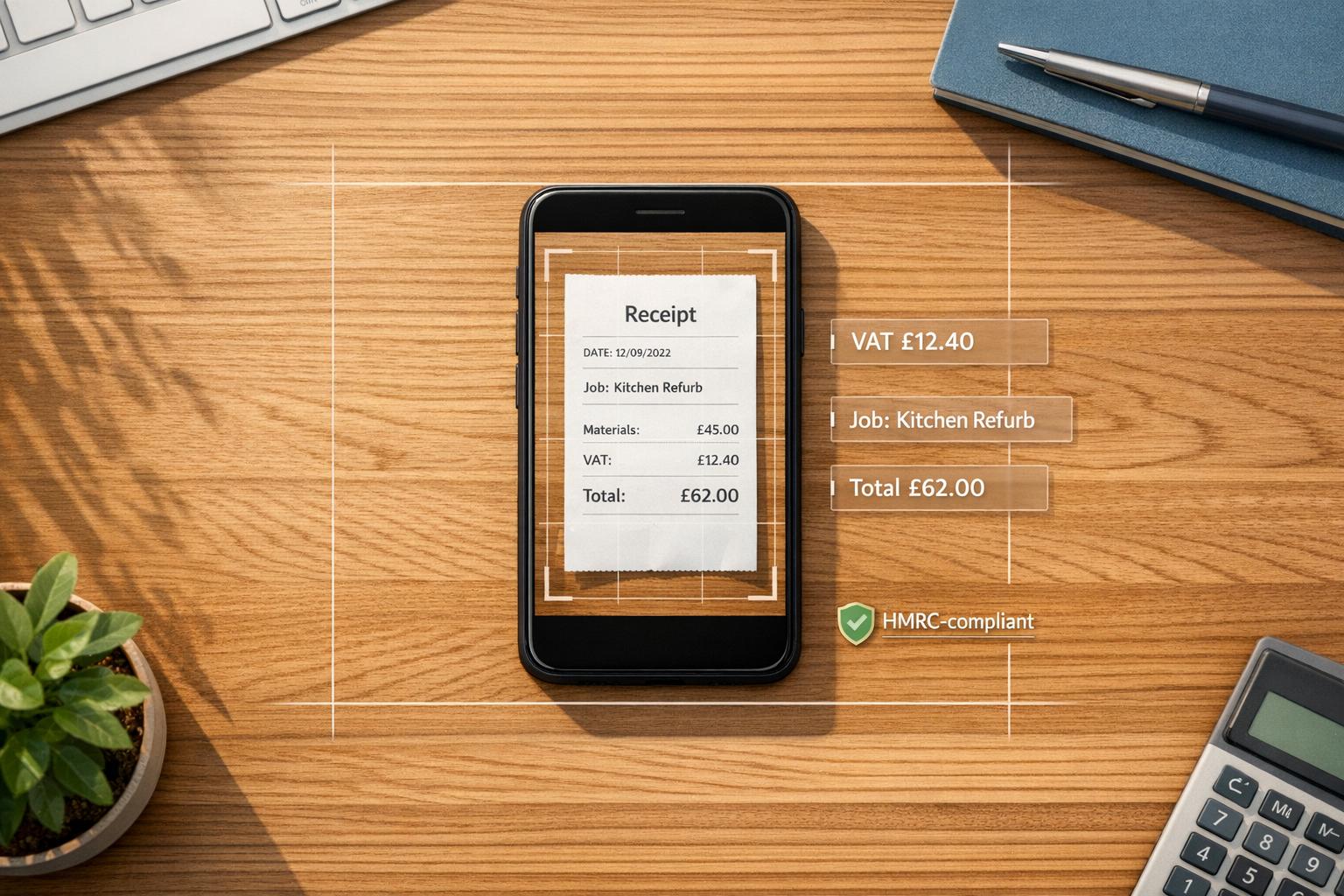
Managing receipts can be a headache for small business owners in the UK. Lost, faded, or disorganised receipts often lead to missed tax deductions, compliance issues, and wasted time. A receipt scanner app solves these problems by turning paper receipts into digital records, saving you time and helping you meet HMRC requirements.
Key Benefits of Receipt Scanner Apps:
- Save Time: Scanning and storing receipts digitally takes seconds, compared to hours of manual sorting.
- Avoid Lost Deductions: UK small businesses lose up to £3,000 yearly due to misplaced receipts.
- Stay HMRC Compliant: Digital records meet HMRC’s five-year retention rules and Making Tax Digital (MTD) requirements starting April 2026.
- Track Expenses More Accurately: Apps use OCR technology to extract details like vendor, date, amount, and VAT with near-perfect accuracy.
- Simplify Tax Prep: Categorise expenses automatically into HMRC tax boxes (e.g., travel, materials) and streamline bookkeeping.
What to Look for in a Receipt Scanner App:
- Strong OCR Performance: Accurate VAT and date recognition, even on faded or thermal receipts.
- Mobile-Friendly Design: Easy to use on the go, with offline capture for poor signal areas.
- Expense Categorisation: Automatically map receipts to tax categories and tag job-specific costs.
- HMRC Compliance: Ensure scanned receipts meet legal requirements for audits and MTD.
- Cost-Effectiveness: Choose a plan that matches your business size and needs (free or paid options available).
Example App: Site Wallet
For UK tradesmen and small teams, Site Wallet offers receipt scanning, job tagging, and cash flow tracking. It’s free to start, with premium options for growing businesses.
Core Benefits of Using a Receipt Scanner App
Faster and More Accurate Expense Tracking
Using OCR (Optical Character Recognition) technology, receipt scanner apps can pull details like vendor name, date, total amount, and VAT in just 2–3 seconds, with an accuracy rate of up to 99.9%. This is a huge improvement over manual methods, which are not only time-consuming but also prone to errors. Features like duplicate receipt detection add another layer of reliability by preventing accidental double-counting of expenses - something that could cause headaches during tax reviews.
"I used to keep receipts in a carrier bag. Now I scan them on the spot and everything's categorised. My accountant actually thanked me." - James H., Electrician
Better Petty Cash and Job-Based Expense Management
Receipt scanner apps don’t just speed up data entry - they also make tracking job-specific expenses much easier. For tradesmen and small teams, knowing whether a project is genuinely profitable can be tricky. Costs like materials, fuel, and tools can spiral without proper tracking. With these apps, you can tag expenses to specific jobs or clients as soon as you make a purchase. This gives you a real-time total of project costs.
This feature eliminates the need for guesswork when it comes to pricing future jobs. Instead of estimating costs at the end of a project, you'll have a detailed, itemised breakdown. This not only helps you price projects more accurately but also flags areas where spending might be creeping up.
HMRC Compliance and Simpler Record-Keeping
Digital records make staying compliant with HMRC requirements far simpler. Unlike paper receipts, which can fade long before HMRC’s mandatory five-year retention period, digital scans remain clear and legible for as long as you need them.
HMRC accepts digital copies of receipts as valid proof of purchase, provided they clearly show the date, supplier, amount, and VAT. Failure to maintain proper records can lead to penalties of up to £3,000 per tax year, making the cost of a receipt scanner app a small price to pay in comparison. With the introduction of Making Tax Digital for Income Tax in April 2026 for sole traders earning over £50,000, having a digital record-keeping system isn’t just helpful - it’s a legal necessity.
"Bank statements support your bookkeeping, but receipts are essential proof of allowable business expenses." - AccountsOS Team
sbb-itb-12417dd
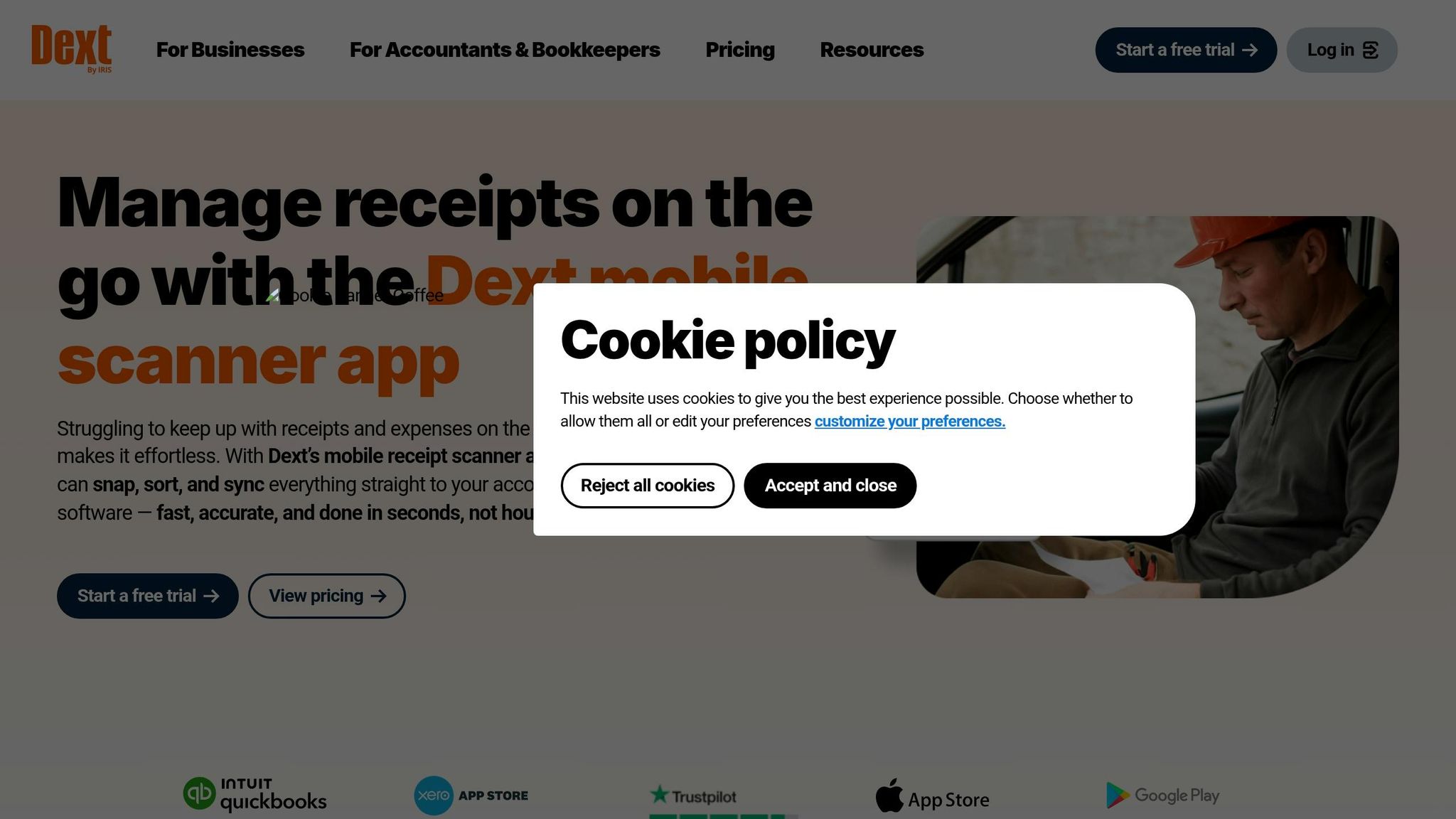
Receipt scanning and management - full overview of Dext
Key Features to Look for in a Receipt Scanner App
Not every receipt scanner app is made with the same purpose in mind. Some cater to freelancers managing a handful of expenses, while others are designed for tradesmen handling materials, fuel, and multiple jobs simultaneously. Beyond the obvious benefits like quicker expense tracking and better record-keeping, here are the must-have features that make a receipt scanner app worth your time.
OCR Quality and Automation
OCR, or Optical Character Recognition, is the backbone of any reliable receipt scanner app. The better the OCR, the fewer corrections you'll need to make, saving you both time and frustration. For UK users, the app must handle specific details like recognising the £ symbol, extracting VAT accurately (at 0%, 5%, or 20%), and interpreting UK date formats correctly. This level of accuracy is critical for Self Assessment and Making Tax Digital (MTD) compliance.
Here’s a handy tip: test the app with a faded thermal receipt, like the ones you often get at petrol stations or builders' merchants. These are notoriously tricky for lower-quality scanners. Also, make sure the app has a feature to detect duplicate receipts, which can help avoid errors when it’s time to file taxes.
On top of accurate data capture, smooth integration with mobile devices is a must, especially for tradesmen who are constantly on the move.
Mobile-First Design for On-the-Go Use
For tradesmen and small teams, the mobile phone often doubles as the office. An app that’s awkward to use on mobile or requires a Wi-Fi connection to save data simply won’t be used consistently. The best apps allow you to capture receipts offline and automatically sync them when you’re back in range - perfect for jobs in areas with poor signal.
Speed is another critical factor. A good app should let you snap a photo, tag it, and move on in under 30 seconds. Some even allow receipt submissions through WhatsApp or email forwarding for digital invoices from suppliers. The aim is to make logging expenses so effortless that there’s no excuse to put it off. Once the receipts are captured, proper categorisation becomes key to turning that data into actionable insights.
"The mileage tracker alone saves me hours at tax time. I drive to clients all week - now I just log each trip and export the year." - Sarah P., Mobile Hairdresser
Expense Categorisation and Job Tagging
After receipts are stored, their value lies in how effectively they’re categorised. Look for an app that automatically maps expenses to HMRC SA103F box numbers. This means your costs - whether for travel, materials, or office expenses - are pre-sorted into the correct tax categories before you even start your return. This feature can save you hours of manual work and make tax season far less stressful.
How to Choose the Right Receipt Scanner App for Your Business
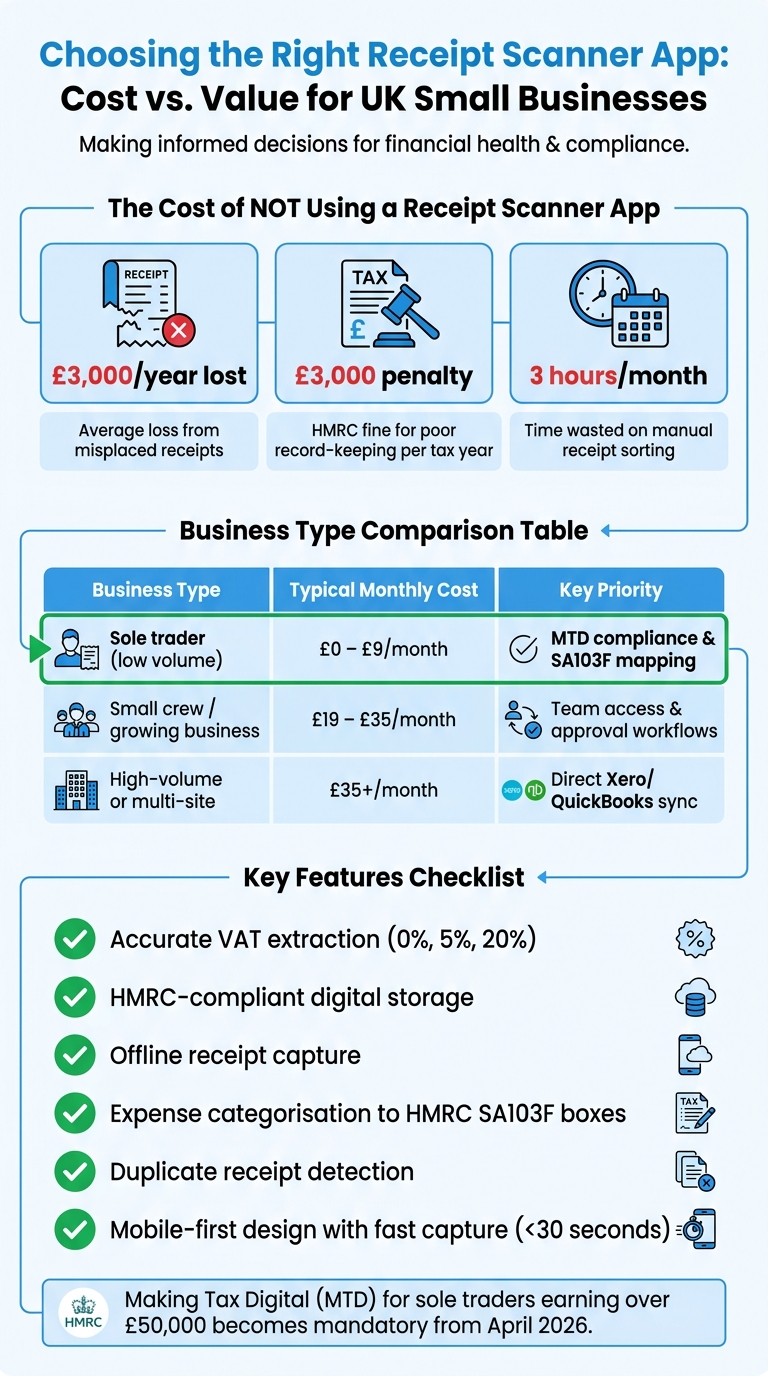
Receipt Scanner App Plans for UK Small Businesses: Cost vs. Features
Choosing the best receipt scanner app boils down to three key questions: what do you need it to do, how user-friendly is it, and does the cost make sense for your business?
Identify Your Business Needs
Start by assessing your specific requirements. Are you a sole trader handling fewer than 30 receipts a month, or does your business involve a team managing multiple expenses? If you're in the first category, a free plan might suffice. However, if your business is growing, with staff submitting expenses and frequent material purchases, you'll need a more advanced app with features like approval workflows and team access.
Think about how you usually pay for expenses. If most of your spending happens in cash - like at petrol stations or builders' merchants - look for an app with strong OCR capabilities to handle faded thermal receipts. On the other hand, if you deal mainly with digital invoices, features like email forwarding or WhatsApp support will be more useful.
Check Features and Ease of Use
Once you've identified your needs, create a checklist of must-have features before testing any app. For most small businesses in the UK, this list should include:
- Accurate VAT extraction for standard rates (0%, 5%, and 20%)
- HMRC-compliant digital storage
- Offline capture for areas with poor mobile signal
Put the app to the test using real-world examples. Try scanning a worn or faded receipt from a petrol station or a crumpled slip from a local supplier. If the app struggles with these, it could turn into a headache during daily use. Also, check whether the app runs as a native application or as a browser-based tool (PWA). PWAs can be easier for teams to adopt, as they don’t require downloads from an App Store.
Weigh Cost Against Value
To determine the value of an app, consider how much your time is worth. If you spend three hours a month manually sorting receipts and your hourly rate is £30, that's £90 of your time. An app costing £9–£19 a month that reduces this to just 30 minutes is clearly worth it.
Additionally, think about the compliance benefits. HMRC can impose penalties of up to £3,000 per tax year for poor record-keeping. An app that provides audit-ready digital records - accepted by HMRC as a replacement for paper originals - can save you from costly fines. Plus, with the upcoming Making Tax Digital (MTD) requirements for sole traders earning over £50,000 (effective April 2026), MTD readiness is becoming crucial .
| Business Type | Typical Monthly Cost | Key Priority |
|---|---|---|
| Sole trader (low volume) | £0 – £9/month | MTD compliance & SA103F mapping |
| Small crew / growing business | £19 – £35/month | Team access & approval workflows |
| High-volume or multi-site | £35+/month | Direct Xero/QuickBooks sync |
Site Wallet: A Mobile-First App for Tradesmen and Small Crews
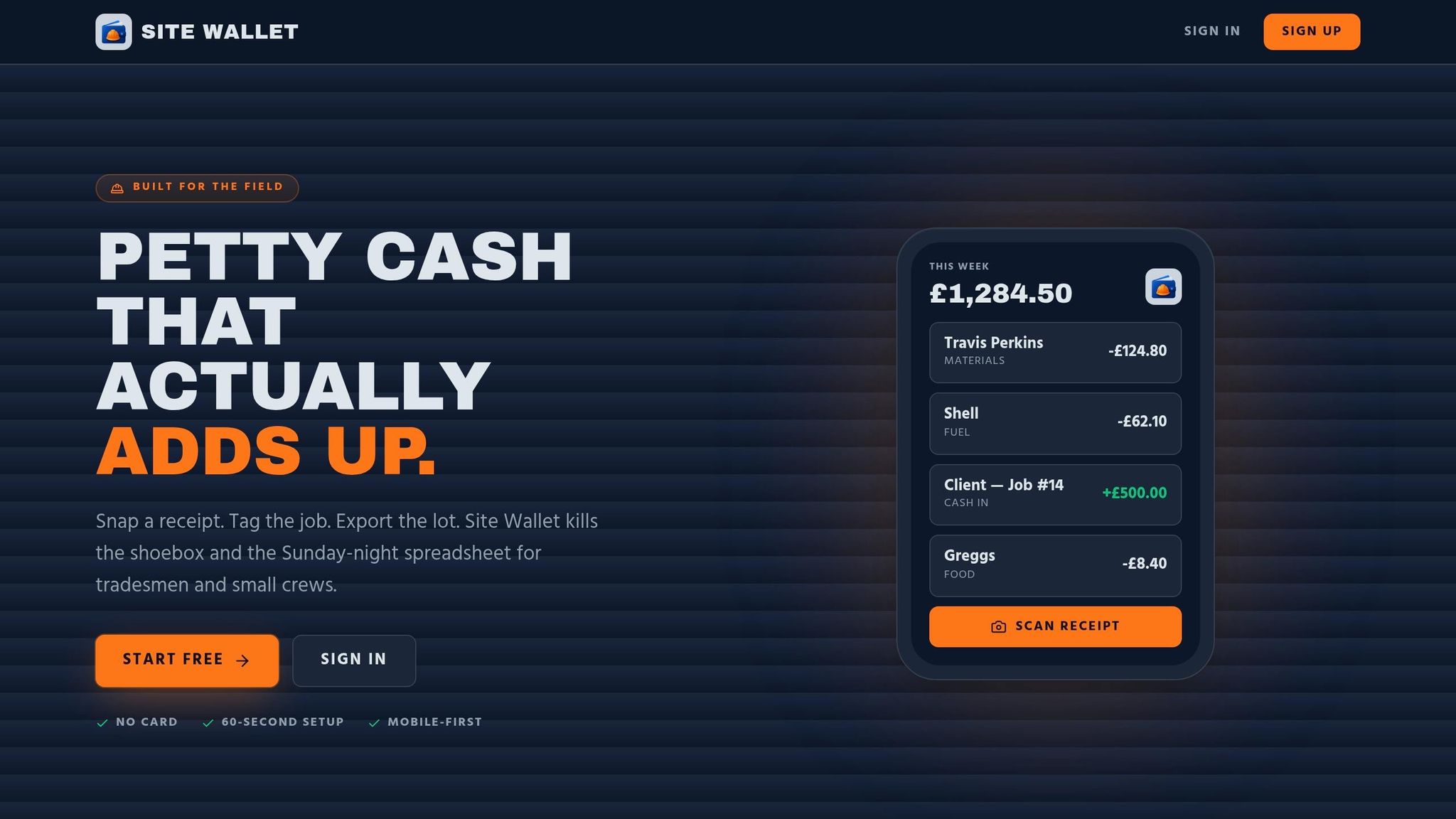
Site Wallet is designed specifically for UK tradesmen and small crews who handle on-site expenses in cash across multiple projects. It offers features that simplify the process of managing these expenses, making it easier to stay organised and in control.
Receipt Scanning and Job Tagging with Site Wallet
Site Wallet uses AI-powered OCR technology to make receipt management effortless. By snapping a photo of a receipt, the app extracts essential details like the merchant name, date, total amount, and VAT automatically. Once processed, you can tag the expense to a specific job, providing instant visibility into your project costs. The app's interface is built with large touch targets, ensuring it works well even in tough on-site environments.
Petty Cash and Cash Flow Tracking
In addition to receipt scanning, Site Wallet helps you manage cash transactions effectively. You can log cash advances, track settlements, and monitor your cash balance across various jobs. For those small but frequent purchases - like fuel, materials from a local supplier, or a pack of screws - the app ensures nothing gets overlooked. This reduces the chances of misplaced receipts and gives you a clearer picture of where your cash is being spent.
Free and Premium Plans for Small Businesses
Site Wallet offers two plans to suit different needs. The Free plan includes essential features like receipt scanning, job tagging, cash flow tracking, and export options. For businesses requiring more advanced tools, the Premium plan adds batch scanning, enhanced export formats (PDF, CSV, ZIP), and priority support. Starting with the Free plan is a practical choice, with the flexibility to upgrade as your business grows.
| Plan | Price | Best For | Key Features |
|---|---|---|---|
| Free | £0/month | Perfect for sole traders or small crews | Receipt scanning, job tagging, cash flow tracking, exports |
| Premium | Contact for pricing | Ideal for growing businesses | Batch scanning, advanced export options, priority support |
Conclusion: Pick the Right Tool and Take Control of Your Finances
Handling receipts manually can be a headache. It’s time-consuming, prone to mistakes, and can leave you scrambling when tax deadlines roll around. Receipt scanner apps simplify this process by automating data entry, categorising expenses by job, and keeping your records ready for HMRC.
Starting 6 April 2026, sole traders and landlords earning over £50,000 annually will need to maintain digital records and submit quarterly updates to HMRC under the Making Tax Digital initiative. Getting into the habit of using digital tools now can save you a lot of stress later.
"The businesses that sail through their MTD mandate are the ones building digital habits now, not the ones treating a two-year runway as a two-year delay." - SparkReceipt
Taking advantage of these digital tools today doesn’t just prepare you for the future - it gives you control over your finances right now. For tradesmen and small teams, Site Wallet’s Free Plan is a no-fuss option. It’s easy to set up, costs nothing, and offers instant insights into your spending, broken down by jobs and categories.
The right tools don’t just make tax season easier - they give you a clear picture of your finances and ensure you stay compliant with HMRC, freeing you up to focus on what really matters: growing your business.
FAQs
Do I still need to keep paper receipts for HMRC?
HMRC allows you to maintain either paper or digital records, but digital copies are highly encouraged. Although uploading receipts isn’t necessary for your Making Tax Digital (MTD) submission, you’re still required to keep proof for every expense you claim. Bear in mind that thermal paper receipts can fade within 6–12 months. Scanning them ensures they stay readable for the required retention period of five to six years, as specified by HMRC.
How accurate is OCR on faded thermal receipts?
The accuracy of OCR (Optical Character Recognition) on faded thermal receipts depends heavily on the degree of fading. Older systems often struggle, with accuracy dropping to around 60–70%. However, newer AI-driven tools perform much better, reaching 85–95% accuracy by improving contrast and leveraging contextual information to interpret the text.
That said, receipts that are over six months old or extremely faded can still pose problems, sometimes becoming completely unreadable. To avoid this, it's a good idea to capture and digitise receipts as soon as possible - ideally on the same day. Even if the OCR process doesn’t work perfectly, having a clear photo can act as a timestamped digital backup, which is particularly useful for UK tax compliance.
Can I share receipts with my accountant easily?
Yes, Site Wallet makes it easy to share receipts with your accountant. You can create shareable links or export your financial information into well-organised reports, like CSV or PDF files. This provides your accountant with all the digital records and structured data required for tasks such as preparing Self Assessment returns or handling your accounts, cutting down on the time you’d otherwise spend on manual admin tasks.